SANDYNE 2.6#
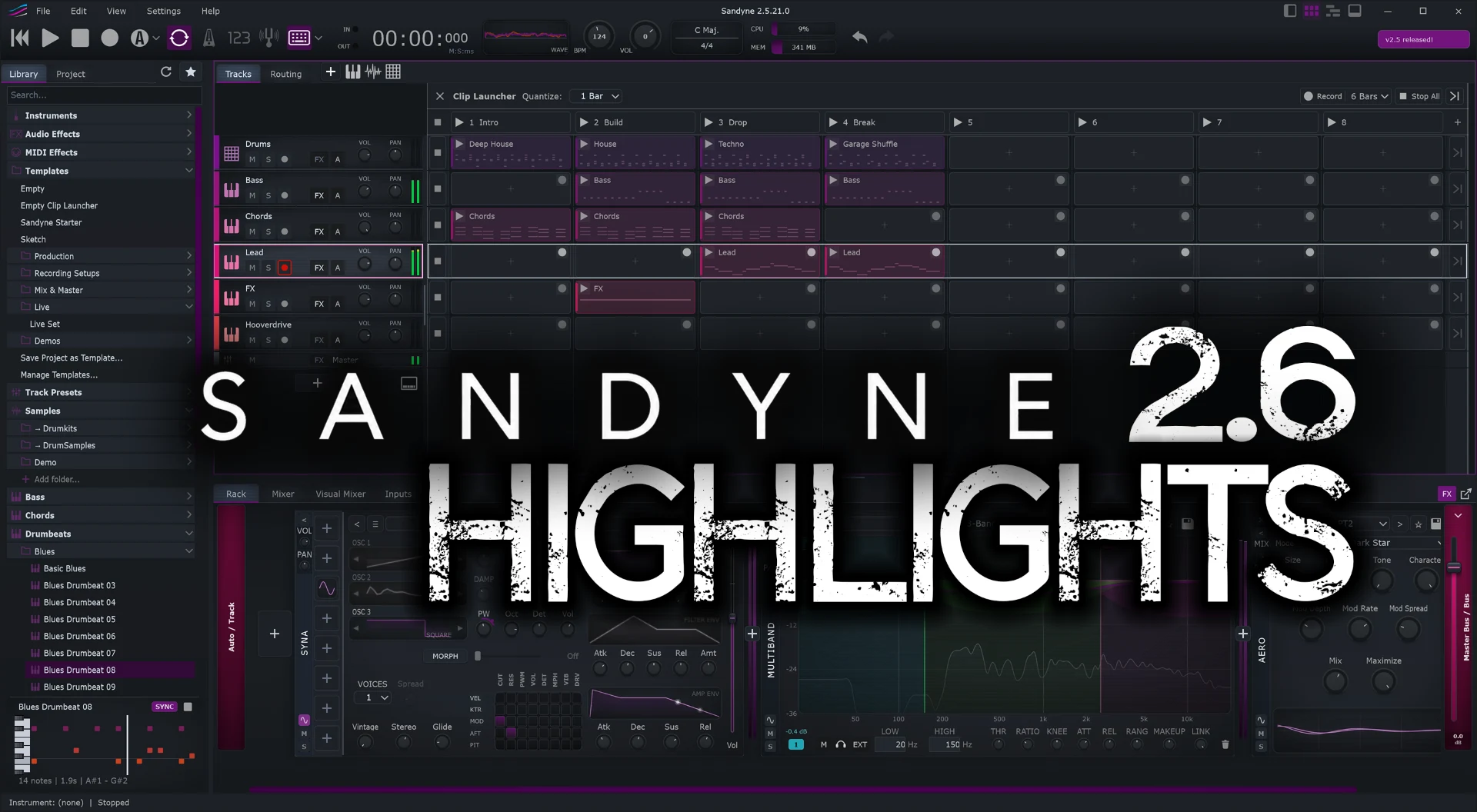
2.6 adds a clip launcher for playing and recording clips live, track folders, a Gen panel that writes drum, bass, keys and lead parts for you, a new start screen with project templates, thirteen new Syna oscillators and a fresh look.
Watch the highlights at
https://youtu.be/rY5-ZyHYZU4
New: Clip launcher
- Clip launcher: a grid of clips and scenes beside the track headers. Click a clip to launch it on the next bar, or launch a whole scene.
- Every clip has its own launch quantize and can be Trigger or Toggle, Legato, one-shot or looping. Back to Arrangement hands a track back to the timeline.
- Record into a slot with one click on the slot, or with the launcher's Record button. Record free or at a fixed length, with a countdown. MIDI overdub adds notes to a clip while it plays.
- The transport's Record also records what you launch into the arrangement. The clips appear on the timeline as you play.
- Drag clips between the timeline and the slots, or drop audio and MIDI files on a slot. Audio dropped below the last row makes a new track.
- Select several clips, cut, copy and paste them, and work the grid from the keyboard.
- Duplicate, insert and delete scenes.
- A frozen track still launches its clips, from the frozen audio.
- A sample clip's loop region can be set in the sample editor.
- Hide the timeline to give the launcher the whole width.
- Pad controllers with an FL Studio script (APC mini mk2, APC Key 25 mk2) launch clips through its Performance mode.
New: Track folders
- Group tracks into folders, nest them, and fold them away.
- A folder's REC button arms every track inside it.
- A folder can sum through a bus, which gives it its own effects, fader and sends.
- Notes on a folder's header row are played by every instrument in the folder, for layered sounds.
- Save a whole folder as one track preset.
- Folders also appear in the Mixer, the Visual Mixer, where a folded folder is one puck, and the Routing tab.
New: Start screen and templates
- File > New opens a start screen with templates grouped in sections, a picture of each project and a search box.
- Factory templates, including Lo-fi, Ambient, Jazz and Electronic, plus your own templates, the demo songs and recent projects.
Piano roll
- Gen panel: turn a clip into a generated Drummer, Bassist, Keys or Lead part that follows the song's bars and the Harmony lane.
- The Drummer has 20 styles and the Bassist has styles of its own. Regenerate rolls a new variation.
- Join Notes (Ctrl/Cmd+J) merges the selected notes of each pitch.
- New Select and Glue tools, a cursor for each tool, and middle-button panning.
- Record quantization: right-click the record button to snap recorded notes to a grid.
- Velocity of one chord note: select the note, and a drag in the velocity lane changes it alone. The lane's resets act on the selected notes.
- Drag the clip's end from the piano roll. A note drawn past the end grows the clip.
- The ruler numbers the beats and marks the grid steps between them.
Syna
- Thirteen new oscillators: Cello, Grand Piano, Tine Piano, Chaos, Shepard, Bowed, Breath, Ensemble, Cluster, Growl, Spirit Box, Music Box and Howl.
- Every waveform now plays at the same loudness. Projects and presets saved earlier keep their sound.
- Polyphony is set per patch, 16 voices by default.
- New patches and the factory leads and basses bend 2 semitones on the pitch wheel.
Other instruments
- Envelope curves: drag the points to shape the envelope. The curve also shows the notes playing through them.
- Filter curves: drag the cutoff line to move the cutoff.
- Salamander Piano: a Release knob, and layer knobs that read in dB and can boost.
- Drums: the rack shows the kit and its drum rows, and the drums editor gets cell styles (rounded, LED, 3D) and cell widths.
- New track presets.
Effects
- New MIDI Gain effect: a velocity trim.
- MIDI Router: an input channel per output, to split a multi-channel source.
- Visualizer: a VU meter mode, and a spectrum ridgeline in the 3D view.
Timeline & clips
- A click on the ruler moves the playhead and leaves the loop alone. Drag on the ruler to set a loop. Play starts at the playhead.
- The play button pauses, and the next Play resumes where you paused. Stop works as before.
- Follow playhead also scrolls the piano roll, the sample editor and the drums editor. A playhead you move while stopped is brought into view.
- A clip's preview starts where the song's playhead is inside the clip.
- Bounce a clip to audio. Track bounces are cut on bar lines, so they loop cleanly.
- Duplicate the selected clips with Ctrl/Cmd+D.
- Give a clip a colour of its own.
- Set a sample clip's start and end from the sample editor.
- Drag clips out as audio or MIDI files: into another program, a plugin's window or the desktop, or onto a Sampler track.
- Paste files (Ctrl/Cmd+V) that you copied in your file manager.
Tracks & mixer
- Add Track can add several tracks at once, with consecutive inputs.
- Drag several tracks at once to reorder them, also in the Mixer.
- Audio tracks show whether they are mono or stereo, with a waveform for each channel.
- Track headers can show the instrument's name or the plugin's picture in place of the type icon.
- Mixer: drag the line above the sends to resize the sends on every strip, and the line above the faders to make them taller.
- Meters refresh faster, and you choose how fast they fall. Right-click any meter.
Browser
- Instruments and effects are sorted into folders by category, and plugins by vendor.
- Colour labels: give any item a colour label, and find labelled items in their own folder.
- Select several items and drag them in at once.
- Plugin pictures: the plugin scan can take a screenshot of each plugin's window. The browser, the plugin scanner and the rack show it.
- Preview a sample or MIDI file while the song plays. With Sync on, it starts on the next bar and follows the tempo.
- My MIDI: your own MIDI files, plus MIDI folders you link.
- Link sample folders by dragging them in. A background index makes searching them fast.
- A selected folder shows a preview of what is inside it.
Look & feel
- Visual effects: glow, scanlines, vignette and a rack panel shadow. Set their strength in Preferences.
- Steel Gray is the new default theme. Default is renamed Graphite, and Light Glacier is a new light theme.
- Theme colours can be tuned and exported.
- Knob styles, and a choice of how knob values are shown: in the knob's name, in a popup, or not at all.
- Panels opened in a window resize from every edge and can be maximised.
- The bottom panel can stop growing past the rack's height, and can remember a height for each tab. Both are options in Preferences.
Workflow & more
- Metronome output: right-click the metronome button to send the click to an output pair of its own, for example only to your in-ears.
- Help > User Manual: slide-deck guides, a reference, and a chapter on Sandyne's file formats. Text in the manual can be selected and copied.
- Two new tutorials for the clip launcher.
- French is now a UI language. You can also add your own translations in
Documents/Sandyne/Translations. - Choose a Backups folder for autosaves and MIDI take backups.
- AI assistants (MCP): Claude and other assistants that speak MCP can drive Sandyne from a written request - make tracks, write notes and beats, pick sounds, mix and export. Everything needed ships with Sandyne; see the user manual for setup.
- A beta release channel in Preferences > Updates.
- Mac/Linux: Faster plugin scanning.
- Faster startup.
All platforms — Windows, Mac and Linux — are now on 2.6. Grab it on the download page.